|
The SIGNAL Event Analyzer represents a breakthrough in the analysis of repetitive acoustic events as diverse as field recordings of birdsong, laboratory ultrasonic rodent vocalizations, and industrial monitoring of rotating machinery. It can go automatically from raw acoustic data to summary behavioral acoustic measurements and statistics, such as call rate, call duration, intercall interval, peak frequency, frequency range, etc. Compared to manual event editing and measurement, the Event Analyzer allows the researcher to investigate many more acoustic parameters for significant effects, with a much larger data sample, and, if desired, over a much longer time period.
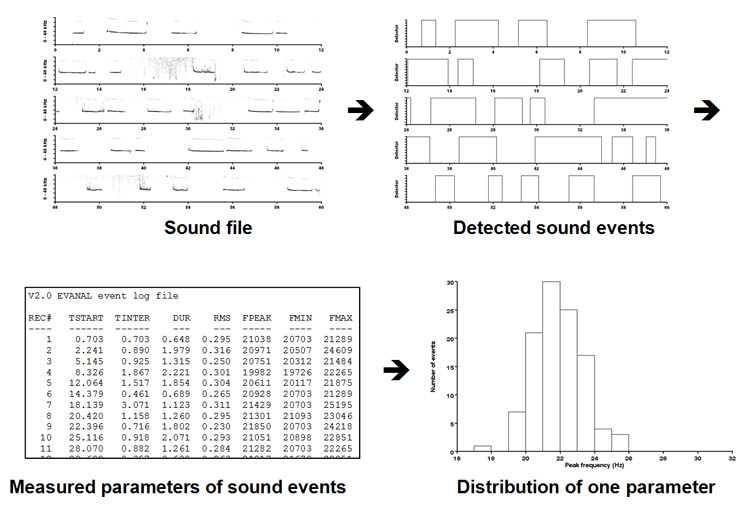
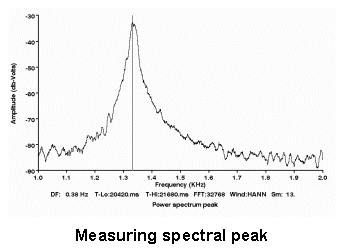
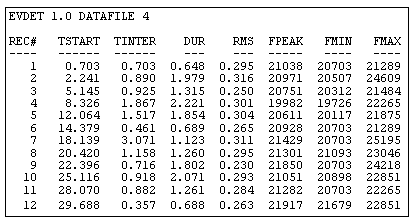
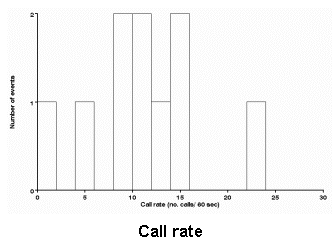
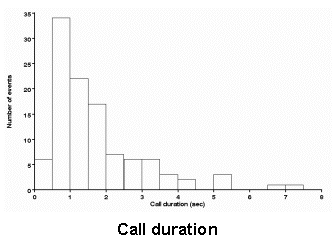
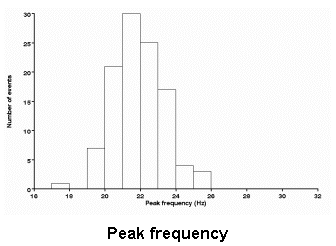
The Event Analyzer begins with a continuous digitized sound file containing the input audio stream, automatically detects all events of a specified character, measures a suite of event parameters (including time of occurrence, event duration, principal event frequency, and FM frequency range), stores these parameters in a data file, then produces summary statistics and histogram displays for a variety of parameters over the entire data set. There is virtually no limit on the size of the input sound file, so the analysis period can be very long.
The Event Analyzer automates and integrates the separate processes of event detection, event measurement, and statistical analysis and display. It reduces these processes to a collection of menus, configuration settings, automatic and interactive measurements, diagnostic tools, statistical analyses, and histogram displays, saving the user potentially months of custom programming. Internally, the Event Analyzer utilizes the SIGNAL Event Detector and a variety of analysis tools from SIGNAL, and the user must have both SIGNAL and the SIGNAL Event Detector in order to use the Event Analyzer.
Principal features of the Event Analyzer include:
- Automate the event detection process
- Organize detection and analysis settings into configuration menus
- Provide diagnostic tools for visualizing and refining detection
- Optionally save detected events as individual sound files for examination and measurement
- Perform event measurements such as RMS level, peak frequency, and inter-call interval
- Provide both automatic and interactive modes for detection and measurement
- Collect event measurements in a data file for statistical analysis
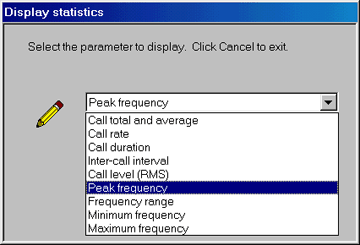
- Perform statistical analyses such as call rate, time history, and spectral distribution
- Produce histogram displays of event statistics
Event Analyzer applications include:
- Automated measurement and display of statistics such as call rate or peak frequency over large data sets
- Automated editing of continuous sound data into individual sound files
- Efficient development of detection algorithms for different sound types in a data set
|