RTS for Windows
Viewing, editing, and measurement
for digital sound files
|
|
Click here to download a PDF brochure
View and measure sound files of any length! The Real-Time Spectrogram (RTS) 4.0 displays the time-aligned spectrogram and waveform of a continuous sound file. The RTS can efficiently review large amounts of acoustic data, while measuring, extracting, and storing sound parameters and sound segments directly from the screen.
RTS 4.0 is designed to efficiently analyze entire sound files. While RTS for DOS required live access to the source tape and continual scrolling and pausing, with RTS 4.0, the user can digitize the entire source tape unattended (using a direct-to-disk analog I/O program such as CBDisk, DartDisk, DTDisk, NIDisk, or WaveDisk), then analyze the sound data rapidly, navigating through a sound file rather than a tape player!
RTS 4.0 runs within SIGNAL 4.0, so edited sound segments can be transferred to SIGNAL buffers for immediate analysis, and measured sound parameters can be stored in the SIGNAL logfile. The RTS can also save sound segments as SIGNAL, Wave or AIFF sound files.
Display parameters such as screen width, waveform amplitude range, spectrogram intensity and dynamic range, frequency resolution, and frequency range can be adjusted from a simple settings screen. Spectrograms can be displayed in grey levels or a rainbow color spectrum. Spectrogram intensity and range can be adjusted to eliminate background noise from the spectrogram.
Following are highlights of the RTS 4.0:
|
| View sound files of any length: RTS 4.0 can handle sound files of unlimited length. Entire data tapes can be digitzed unattended (using a direct-to-disk analog I/O program such as CBDisk, DartDisk, DTDisk, NIDisk, or WaveDisk), then analyzed efficiently in the RTS. |
|
|
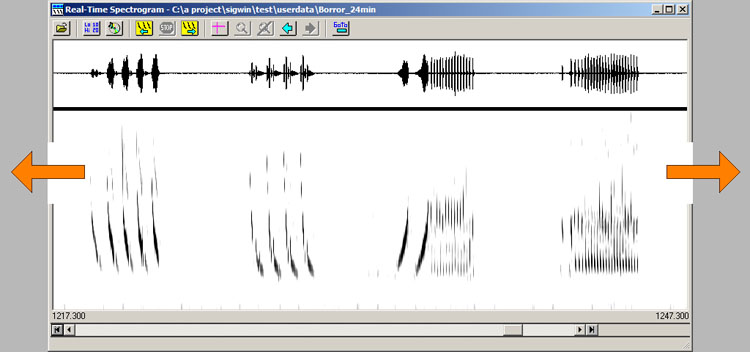
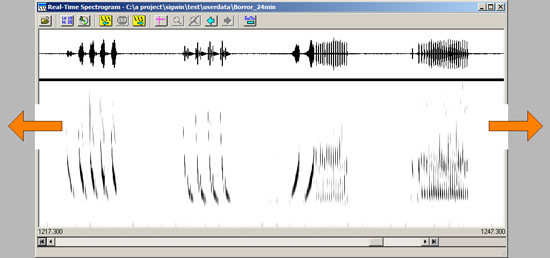
Scroll or page rapidly forward or backward: The RTS can scroll forward or backward through a sound file to search for events interest. For example, this 30-second screen was scrolled in 3 seconds - a review rate of 10 times real-time! The user can also page through the sound file in either direction at 15 times real-time. |
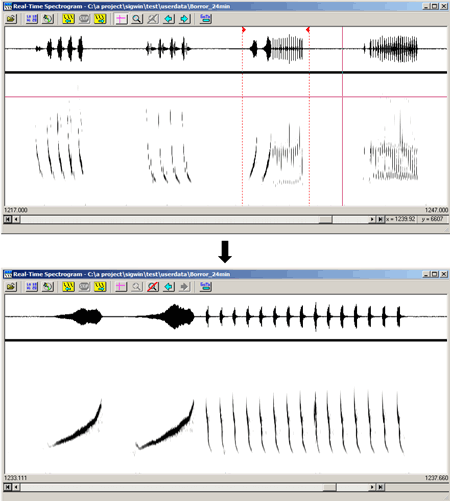
| Time/frequency zoom: Zoom the time and/or frequency scale to enlarge sound features or view a specific frequency band. Navigate forward and backward between multiple zoom levels like a browser. Redisplay the last 10 screens from memory. Edit long signals precisely at high magnfication. |
|
|
Play back selected sound segments: Select any sound segment on the screen for playback through the system sound card. |
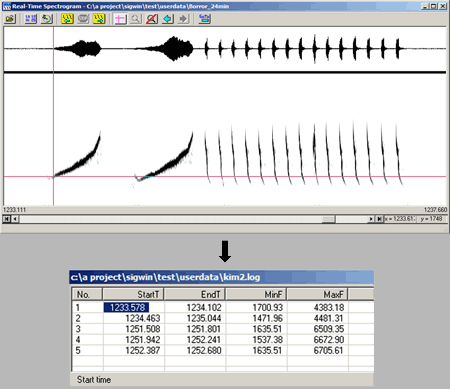
| Measurement cursor and built-in measurement datafile: Use a screen cursor to measure sound parameters, such as start times, note and sound durations and intervals, and peak frequencies. Store these measurements in the SIGNAL measurement logfile, which can be customized by the user to the exact number and type of measurements. Export the logfile to a spreadsheet or statistical program for further analysis. |
|
|
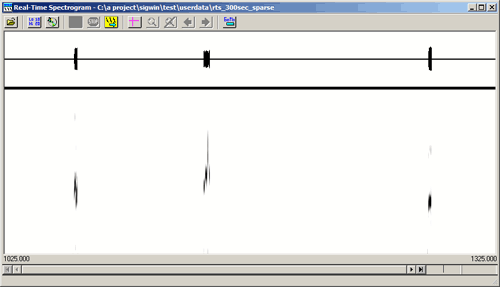
Efficiently review sparse data sets: Use the wide screen and high-resolution spectrogram of the RTS to locate significant events in sparse data sets. The RTS can display very long segments (such as 5 minutes shown here), then zoom individual events for close examination. With 3 seconds to draw or scroll a new screen, this allows sparse data sets to be analyzed at 100 times real-time. |
| Detailed grey-scale and color spectrograms: Display spectrograms in grey levels or in color, to highlight significant amplitude features. Adjust noise floor to minimize background noise in the spectrogram. |
|
|
SIGNAL 4.0 / RTS 4.0 direct link: RTS 4.0 runs within SIGNAL, so edited sound segments can be transferred to SIGNAL buffers for immediate analysis. In the figure, the RTS has saved 6 events in SIGNAL buffers and 11 measurement records have been stored in the SIGNAL logfile. |
| Flexible parameter adjustment: Adjust display parameters such as screen width, waveform amplitude range, spectrogram intensity and dynamic range, frequency resolution, and frequency range from a simple settings screen. |
|
Home |
Company |
Products |
Sales |
Support |
What's New |
Contact |
Search